How UniFi Access Works: A Door-by-Door Walkthrough for Miami Businesses
Most business owners approve access control without ever seeing how it works. This is the walkthrough — what happens in the second after someone taps a phone on the reader, what you see in the dashboard, what happens when an employee is terminated at 4:58 PM on a Friday, and what the whole thing actually costs.
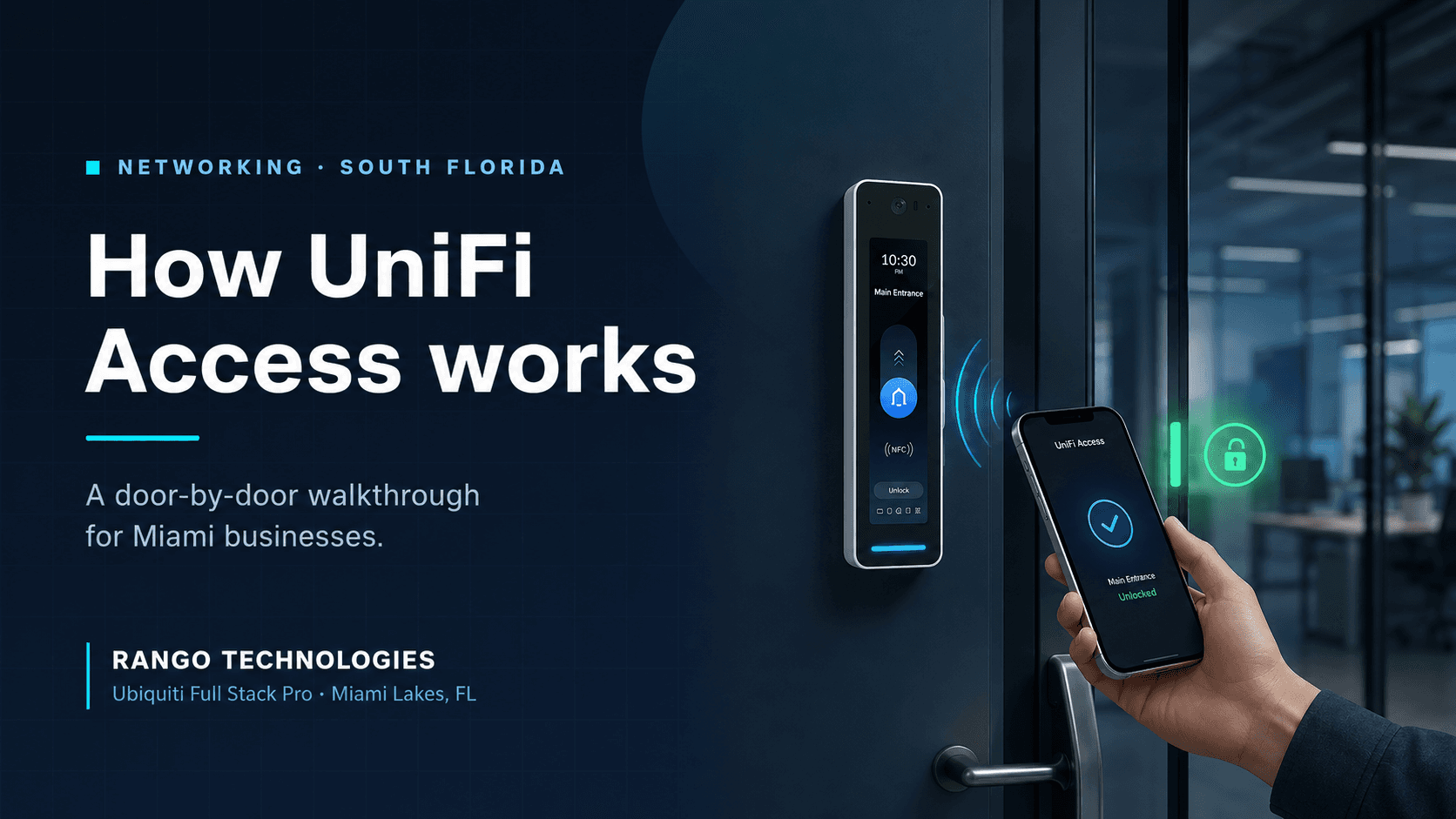
Table of Contents
- The 90-second version
- What actually happens when someone taps the reader
- The four pieces of hardware behind every door
- The credentials your team will actually use
- What you see in the dashboard
- Five situations, walked through step by step
- What UniFi Access costs — and what it does not
- You may not have to replace your existing wiring
- Five ways DIY installs fail in South Florida
- What a RANGO deployment looks like
- Frequently asked questions
The 90-second version
Here is the shortest honest description of what you are buying.
Every door you want to control gets a reader on the wall and an electronic lock on the frame. Both wire back to a small hub — a PoE-powered box roughly the size of a paperback. The hubs report to a UniFi console already sitting in your network closet, which runs the Access application: your user list, your door schedules, your audit log.
When someone presents a credential, the hub checks it against the local database and either fires the lock relay or doesn't. That decision is made on your premises, in a fraction of a second, and it does not require the internet to work.
Administration happens in a browser or on your phone. Adding an employee takes under a minute. Removing one takes about ten seconds. Nobody rekeys anything, ever again.
That's the system. The rest of this article is the detail your operations manager will ask about, and the detail most vendors skip.
What actually happens when someone taps the reader

This sequence matters more than any feature list, because it explains why the system stays up when other things go down.
1. The reader wakes and reads the credential.
The reader is powered over its Ethernet cable — no separate power run, no wall wart. It reads an encrypted NFC card, a pass in Apple Wallet or Google Wallet, a PIN, a QR code, or a face, depending on which model is on that door.
2. The reader hands the credential to the hub over Ethernet.
Readers do not make access decisions. They are input devices. The credential travels to the Access Control Hub over a Layer 2 Ethernet connection — which is why readers and their hub must sit on the same Layer 2 network segment, a design constraint that trips up a surprising number of self-installers.
3. The hub checks the credential against its local database.
The hub holds a synchronized copy of every authorized credential and every access policy. A standard Door Hub stores up to 10,000 users with one NFC card each, or 7,000 users with an NFC card plus mobile unlock. This is the important part: the decision is made on the hub, not in a data center.
4. The hub fires the lock relay — or refuses.
On approval, the hub energizes (or de-energizes, depending on lock type) the relay terminal wired to your electric strike or maglock. The door releases. Typical time from tap to unlock is well under a second.
5. Everything gets logged.
The event — who, which door, which credential, exact timestamp, granted or denied — writes to the audit log on your console. If you run UniFi Protect cameras, the event also bookmarks the video from the camera you paired with that door.
Notice what is missing from that sequence: any dependency on your internet circuit. Your ISP can go dark and your team still gets in. What you lose during an outage is remote management and mobile push notifications, not door function.
The four pieces of hardware behind every door
| Component | What it does | Where it lives |
|---|---|---|
| UniFi console | Runs the Access application — user list, policies, schedules, audit log. Often the same appliance already running your network and cameras. | Network closet / rack |
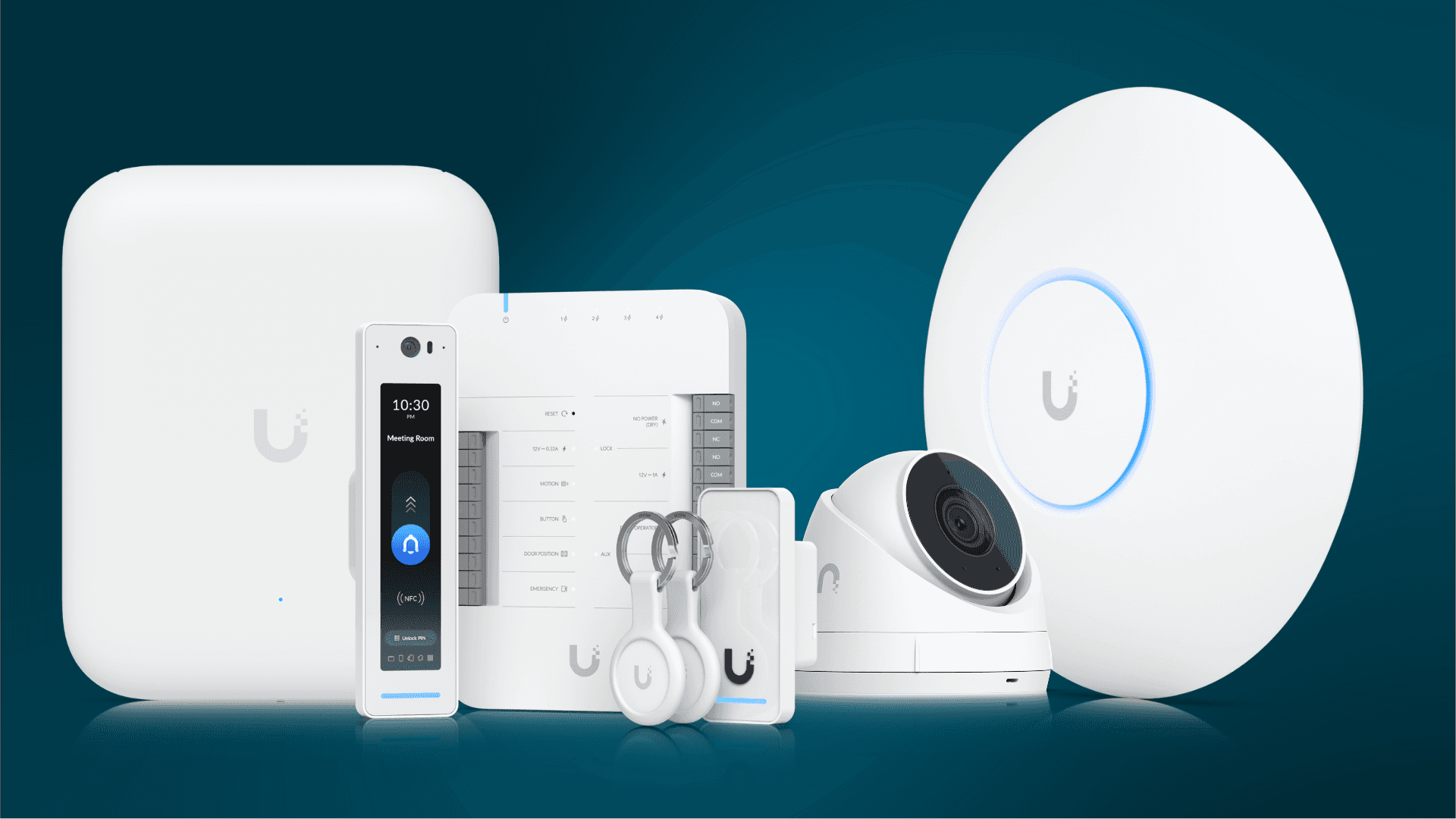
| Access Control Hub | The decision-maker. Stores credentials, drives the lock relay, accepts door sensors and exit buttons. PoE-powered. | Above the door or in a central enclosure |
| Reader | The part your staff touch. NFC, mobile, PIN, QR, or face — model dependent. | Wall or mullion beside the door, mounted at 48 inches |
| Lock | Electric strike, maglock, or smart lock. Fail-safe or fail-secure depending on the door's role and fire code. | Door frame |
Choosing the hub is the real engineering decision
Hub selection drives cost per door more than anything else, and it is where most quotes diverge:
- Door Hub — the standard single-door unit. Four PoE ports for readers and cameras, plus inputs for motion sensor, exit button, door position sensor, and emergency override. This is the workhorse for a main entrance.
- Door Hub Mini — compact single-door unit with basic I/O (request-to-exit and door position sensor). Right for interior doors where you don't need a siren output or a door operator.
- Access Ultra — hub and reader in one device, standalone. Ubiquiti positions it for basic-security interior doors — meeting rooms, break rooms, locker rooms — where the only I/O you need is an exit request. It's the cheapest way to add a controlled door. Note that it cannot be chained to another hub; it is the hub.
- Enterprise Access Hub (EAH-8) — up to eight doors from one AC-powered unit (four if you want readers on both entry and exit), 30,000 users, and support for battery backup. This is what makes multi-door offices and clinics economical, because you stop paying for a hub per door.
- Gate Hub — for sliding, swinging, barrier, and roll-up gates, with license plate recognition when paired with UniFi Protect AI cameras. Relevant for warehouses in Medley, Doral, and Hialeah.
- Retrofit Hub — a two-door unit that reuses your existing wiring. More on this below, because for many Miami offices it's the cheapest path to a modern system.
- Elevator Hub — floor-by-floor authorization for up to 18 floors, for buildings in Brickell and downtown.
Two wiring facts worth knowing before you get quoted: the maximum run from hub to reader is 100 meters, and if the hub itself is PoE-powered from a switch, the combined switch-to-hub plus hub-to-reader distance must stay under 100 meters. Lock wiring wants 18 AWG conductors — thin cable on a long run causes voltage drop, and a lock that receives 7 volts instead of 12 simply doesn't open.
All UniFi Access readers are UL 294 compliant and meet ADA accessibility standards. Mount them at 48 inches and there's a second benefit: readers with built-in cameras capture the face of anyone up to six feet tall, including a person in a wheelchair.
The credentials your team will actually use
You are not picking one. Most of our deployments run two or three in parallel, because the front door, the server room, and the delivery gate have different problems.
NFC cards and fobs. Encrypted, cheap, and universally understood. Access Cards start around $30 for a pack. Best for contractors, temps, and the one employee who refuses to install anything on their phone. Works with every reader model.
Mobile app unlock. Users get the UniFi app, tap to unlock. No card to lose, no card to re-issue. Works on every reader.
Touch Pass — the one to understand before you commit. This is the feature people actually want: a badge that lives in Apple Wallet or Google Wallet, so an employee taps their iPhone or Apple Watch to the reader without opening any app, even with the phone locked. It requires a G3-generation or G6 reader, iOS 16+ or Android 9+, Remote Access and Smart Door Access both enabled on the console, current firmware (UniFi OS 4.4.6 / Access 4.1.15 or later), and the UniFi Endpoint app installed once to load the pass. Two details worth knowing up front: the one-year trial clock starts only when a user actually adds the pass to their Wallet, and once a pass is activated it cannot be reassigned to a different person without going through Ubiquiti support.
It is also the one part of UniFi Access that is not license-free. Ubiquiti includes a one-time grant of 10 complimentary Touch Passes per Access-capable console for a one-year trial; beyond that, passes are billed per user per year, set by Ubiquiti and subject to change. Anyone who tells you UniFi Access has zero recurring cost has not read the Touch Pass terms. If Wallet-based entry matters to you, budget for it. If it doesn't, run mobile app unlock and NFC cards and pay nothing recurring.
PIN codes. Available on Reader Pro (software keypad), Intercom (physical and software), G6 Pro Entry, and Access Ultra. Useful for shared spaces and for the cleaning crew. Also useful as a second factor on a sensitive door.
Face unlock. Supported on G6 Entry, Reader Pro, and Intercom. Genuinely fast and hands-free. Worth a conversation about your employee-notice obligations and, in a medical setting, your privacy posture before you switch it on.
QR codes. Time-limited visitor entry. You email a code, it works during the window you set, then it stops.
License plate. Gate Hub plus a Protect AI camera reads the plate and opens the gate. For a fleet yard or a warehouse dock, this removes the single most annoying daily interaction in the building.
Fingerprint. Ubiquiti's G3 Reader Fingerprint combines a fingerprint sensor with NFC, a keypad, and Touch Pass. Useful where you want a credential that can't be lent out — a cash room, a pharmacy cabinet area, a controlled-substance closet. Newer to the lineup, so we'll tell you honestly how much field time we have on it.
Hand-wave. Compact readers support a hand-wave exit — no touch, no credential, for free egress on the way out.
What you see in the dashboard
Three screens do 95% of the work.
People. Your user list. Each person holds one or more credentials. Add someone, assign their credentials, assign them to a group, done. Groups are how you avoid managing 60 individual permission sets: "Front Office," "Clinical Staff," "Warehouse," "Contractors."
Access policies and schedules. A policy is a sentence: this group, these doors, these hours. Clinical Staff get the clinical corridor Monday through Friday, 6:30 AM to 7:00 PM. Contractors get the loading door Tuesdays and Thursdays, 8:00 AM to 4:00 PM. Nobody gets the records room except three named people, any time.
You can also schedule doors to unlock automatically — front door releases at 8:00 AM, re-secures at 6:00 PM — and set a one-time unlock from an administrator's phone when a delivery is due.
The audit log. Every event, searchable, retained. This is the screen that pays for the system the first time you have a dispute. Who opened the back door at 2:14 AM. Whether the terminated employee's card was tried after their last day. When the vendor actually arrived versus when the invoice says they arrived. Paired with UniFi Protect, each entry links to the video clip.
There are two more controls worth knowing about: emergency lockdown, which secures designated doors immediately from a phone or a reader screen, and evacuation mode, which releases them. Both matter during an active incident and during a hurricane evacuation, and both are exactly the sort of thing that should be configured and rehearsed before you need it — not discovered during it.
Five situations, walked through step by step
This is the section to read if you want to know whether the system changes your day.
1. A new hire starts Monday
Before: someone finds the spare key, or orders a fob from a vendor with a four-day lead time, and the new hire props the door for their first week.
With UniFi Access: your office manager adds the person, assigns them to a group, and issues a credential. If it's a card, they hand it over at orientation. If it's mobile or Touch Pass, the invitation email goes out and the employee loads it themselves before they arrive. Time invested: under two minutes. Access begins the moment their policy window opens — not before.
2. An employee is terminated at 4:58 PM on a Friday
This is the scenario that sells access control, and it should.
Before: you have a hard conversation, ask for the key back, and then spend the weekend genuinely unsure whether a copy exists. Rekeying a commercial cylinder in Miami-Dade runs real money per door, and it invalidates every key you've already handed out — so you either rekey everything or you accept the risk.
With UniFi Access: you open the app in the parking lot and revoke the credential. Ten seconds. The audit log records the revocation with a timestamp, which is exactly the documentation your attorney or your insurance carrier will ask for later. If that person tries their card Saturday morning, the attempt is logged as denied — and you know they tried.
3. Someone loses their card
Revoke that credential, issue a new one. The lost card is now a piece of inert plastic. No locks change, no other employee is affected, nothing is re-issued to anyone else. Cost: roughly the price of one card.
4. An after-hours vendor needs to get in
Before: you drive to the office at 9 PM, or you hand out a key and hope.
With UniFi Access: you create a time-limited credential or QR code valid for the window you specify. It works Tuesday 9 PM to 11 PM and never again. If your building entrance uses an Intercom, the vendor calls you from the door, you see and speak with them on your phone, and you release the door remotely. The audit log shows exactly when they entered and left.
5. The power goes out during hurricane season
Two separate questions here, and they deserve separate answers.
Internet outage: doors keep working. Credential checks happen on the local hub. You lose remote administration and mobile notifications until the circuit returns.
Power outage: what happens depends on hardware and design, not on marketing. Your locks are either fail-secure (stay locked without power — typical for electric strikes) or fail-safe (release without power — required for maglocks, for life-safety egress). Most hubs and all readers are PoE-powered (the Enterprise Access Hub runs on AC and the Retrofit Hub on DC), so they stay up exactly as long as the switch or circuit feeding them stays up. That is what a UPS is for, and it is why we insist on one for the access and network stack rather than treating it as an upsell. The Enterprise Access Hub supports battery backup for continuous operation, with one caveat installers routinely miss: it has no internal charging circuit, so the battery must be charged externally or you will damage the hub, the battery, or both.
Designing around a South Florida power environment is not a checkbox. It is the difference between a system that shrugs off a summer storm and one that locks your staff out of the building on a Tuesday.
What UniFi Access costs — and what it does not
We don't publish a price list, and you should be a little suspicious of anyone who does. What we can give you is the structure — so you can read any quote, ours or a competitor's, and know what you're looking at.
The four things that move cost per door
- Hub selection. One hub per door versus a single Enterprise Access Hub covering up to eight doors is the biggest swing in the entire quote.
- Reader choice. A compact NFC reader and a touchscreen Reader Pro with a camera and two-way audio are not in the same price class — that's a multiple, not a margin. Most buildings want one or two nice readers at the entrances and inexpensive ones everywhere else.
- Whether we can reuse your wiring. Cable pulls are labor, and labor is usually the expensive half of the project. A retrofit over existing RS-485 can change the total substantially.
- Door hardware. An electric strike on an interior wood door is straightforward. A maglock on a glass storefront with a fire alarm interface, a door operator, and county permitting is a different job entirely.
A word on hardware pricing
Ubiquiti sets its own hardware pricing and revises it without notice. Published figures exclude sales tax and freight, and for US orders Ubiquiti also lists a separate surcharge-inclusive figure that differs from the headline number. Any price you read in a blog post — including this one — is a snapshot of one moment, not a quote.
For scale only, as of our August 2026 review: single-door hardware (a hub plus a compact reader) sat in the low hundreds of dollars; a main entrance with a touchscreen reader ran to roughly double that; and per-door cost dropped noticeably once four or more doors ran from a single Enterprise Access Hub. Treat those as orders of magnitude, not a budget. Ask any vendor for a written quote with tax and freight included, then compare.
What nobody puts in the hardware quote, and should: the door survey, the lock hardware, low-voltage cabling and terminations, a proper PoE budget on the switch, surge protection and UPS runtime, fire alarm interface where maglocks are involved, permitting where Miami-Dade requires it, credential provisioning, administrator training, and firmware maintenance thereafter. That is the actual project. Hardware is typically the smaller half of it.
What's license-free, and what isn't
No recurring Ubiquiti software fee. The Access application itself — your user list, access policies, schedules, audit log, and multi-site management through Ubiquiti's cloud portal — carries no per-door license and no per-month platform charge. This is the structural advantage over subscription access control, and over five years it is not a small number.
Two optional Ubiquiti add-ons do cost money. Touch Pass is billed per user per year beyond the 10 complimentary passes. UniFi Identity Enterprise, if you want single sign-on and VPN-free remote access bundled with door credentials, is published at $5 per user per month or $4.50 on annual billing, with a 50% non-profit discount and US-only availability — and watch the five-user minimum, because a three-person office still pays the $25 monthly floor. Both are Ubiquiti products with Ubiquiti pricing; confirm current numbers before you budget.
What RANGO charges monthly, and why
We charge a low flat monthly fee per site to manage the system (onboarding, projects, and hardware are quoted separately). That is a service fee, not a software license, and we'd rather explain it plainly than bury it in a proposal.
A door access system is not a microwave. Firmware ships with security fixes that have to be applied. Hubs and readers go offline, and somebody needs to notice before an employee standing in the rain does. Credentials need issuing on Monday and revoking on Friday. Policies drift as your teams, hours, and locations change. Nobody on your staff wants to own that — and the systems we get called in to rescue are, almost without exception, the ones where nobody did.
The monthly covers:
- Monitoring hub and reader health, so we find a dead reader before your staff does
- Firmware and security patching on the access hardware
- Credential lifecycle — issued at onboarding, revoked at termination, same day
- Policy, group, and schedule changes as your business changes
- Documentation kept current, so the system is never a black box and you are never hostage to an installer
- Support when something at a door isn't behaving
If you already run managed IT with us, this folds into your existing agreement and door access joins the same onboarding workflow as Microsoft 365 — one request grants both, one request revokes both.
The comparison worth making: a subscription access control platform charges you a per-door software fee and still leaves the managing to you. Our model is the inverse — no software tax, and a named engineer accountable for the system actually working.
We quote all of it up front. If a competing quote is dramatically cheaper, look for which of those lines is missing.
You may not have to replace your existing wiring
This is the section most Miami offices don't know about, and it changes the math.
If your building already has an access control system — a dead or dying one with old proximity readers, a controller nobody supports, and an installer who stopped answering the phone — there is decent odds the wiring is fine. Legacy installations generally left behind RS-485 cabling from a previous Wiegand or OSDP system, and that cabling is usually reusable.
The UniFi Retrofit Hub is a two-door, DC-powered unit built specifically to reuse that wiring. It works with the UniFi Retrofit Reader over OSDP, and it also works with a list of compatible third-party Wiegand readers — meaning in some cases you can modernize the brain of the system and keep the readers already on the wall, then replace readers later on your own schedule.
Practically: you get mobile credentials, a searchable audit log, remote revocation, and camera integration without opening walls or pulling new cable. For a build-out where cable pulls are the expensive part — an older Coral Gables office, a medical suite mid-lease, a warehouse with finished walls — this is often the difference between a project that gets approved and one that sits in a folder for two years.
A site walk tells us within an hour whether your existing infrastructure is reusable. It's a free hour, and it can save the cost of new cable pulls.
Five ways DIY installs fail in South Florida
We get called to fix these. In rough order of frequency:
1. PoE budget miscalculated. Hubs need PoE++ (Door Hub, Door Hub Mini, Gate Hub, Elevator Hub); Access Ultra needs PoE+; the Enterprise Access Hub needs AC. Multiply that across readers and cameras on the same switch and an undersized switch browns out under load. Readers go intermittent, hubs drop, and the symptom looks random because it depends on how many people are in the building.
2. Readers and hub on different VLANs. Readers talk to their hub at Layer 2 and cannot cross a VLAN boundary. Hubs can reach the console across VLANs if routing and firewall rules allow it and the Access application is set to watch all networks. Get this backwards and devices simply never appear.
3. Voltage drop on lock runs. Long runs of thin cable to a 12-volt lock. The lock clicks but doesn't release, and only sometimes, and only on the far door. Use 18 AWG and respect the published cable length limits.
4. Fail-safe and fail-secure chosen wrong. Maglocks are fail-safe by nature and must be integrated with the fire alarm so designated doors release for egress. Getting this wrong is not an inconvenience — it is a life-safety issue and a failed inspection. Permitting requirements in Miami-Dade depend on scope and lock type, and they are not optional.
5. No surge protection and no UPS. South Florida's power environment is genuinely hostile. Every summer we replace access hardware that would have survived behind a modest UPS and a proper surge path.
None of these are exotic. All of them are the reason "the hardware is cheap" is a misleading way to think about this project.
What a RANGO deployment looks like
We are a Ubiquiti Full Stack Professional and we run access control, cameras, and the network underneath all of it. That matters, because access control that isn't tied to your cameras and isn't running on a properly segmented network is half a system.
Site walk. A senior engineer walks every door you're considering. We document existing hardware, existing wiring, door type, frame condition, network paths, switch capacity, and power environment. We tell you what's reusable and what isn't.
Design and quote within 48 hours. Hub selection per door, reader model per door, credential strategy, lock type with fail-safe/fail-secure rationale, PoE budget, UPS sizing, cabling, permitting where applicable, and labor. Line items, not a lump sum.
Install. Clean cable management, junction boxes where they belong, labeled terminations, fire alarm interface where maglocks are used, and documentation you keep — so you are never held hostage by an installer who knows things you don't.
Provisioning and training. We build your groups, policies, and schedules with your operations lead, load credentials, and train your administrators on the three screens they'll actually use.
Ongoing management. Flat-rate monitoring and maintenance: hub connectivity, reader health, firmware and security patching, credential lifecycle tied to your onboarding and offboarding. If you run managed IT with us, new hires get door access and Microsoft 365 accounts from the same request, and terminations revoke both at once. Onboarding, projects, and hardware are quoted separately.
Local response. Miami Lakes based. Our SLA: 15-minute remote acknowledgement for critical incidents, 24/7, for managed-service clients; on-site response typically under 4 hours in Miami-Dade during business hours. Not a subcontractor from Orlando.
For medical and dental practices, the audit log and restricted-area controls support the physical-safeguard side of a HIPAA IT compliance program. We implement and document the technical controls; your practice retains responsibility for its overall compliance program.
Frequently asked questions
Is there a monthly fee for UniFi Access?
Two separate questions, so two answers. On the Ubiquiti side, the Access application is license-free — no per-door or per-month software charge for the user list, policies, schedules, or audit log. Two optional Ubiquiti add-ons do cost money: Touch Pass (Wallet-based entry) is billed per user per year beyond the 10 complimentary passes included with a one-year trial, and UniFi Identity Enterprise is a separate per-user subscription with a five-user minimum. On our side, RANGO charges a low flat monthly management fee per site covering monitoring, firmware and security patching, credential onboarding and offboarding, policy changes, current documentation, and support. That is a service fee rather than a license — and it is what keeps the system from quietly degrading after install day. Onboarding, projects, and hardware are quoted separately.
Do the doors still work if the internet goes down?
Yes. Credential checks are made locally on the Access Control Hub, which holds a synchronized copy of your users and policies. During an internet outage you lose remote management and mobile notifications, not door function.
What happens during a power outage?
It depends on your lock type and your backup design. Fail-secure locks stay locked without power; fail-safe locks release, which is what fire code requires on certain egress doors. Most hubs and all readers are PoE-powered and stay up as long as the switch feeding them does — which is why we size a UPS for the access and network stack. The Enterprise Access Hub supports battery backup, though it has no internal charging circuit, so charging must be handled externally.
Can we reuse our old card readers or wiring?
Often the wiring, sometimes the readers. The UniFi Retrofit Hub is designed to work over existing Wiegand/RS-485 wiring and supports both the UniFi Retrofit Reader and a list of compatible third-party Wiegand readers. Older low-security proximity credentials are generally not carried forward — we recommend re-issuing encrypted NFC cards or mobile credentials. A site walk gives you a definite answer.
Can employees use their phones without opening an app?
Yes, with Touch Pass — the badge lives in Apple Wallet or Google Wallet and works with the phone locked. It requires a G3-generation or G6 reader, iOS 16+ or Android 9+, Remote Access and Smart Door Access enabled on the console, current firmware, and a one-time setup through the UniFi Endpoint app. Mobile app unlock is the no-extra-cost alternative.
How many doors can one system handle?
More than you need. A standard Door Hub supports up to 10,000 users with NFC credentials; the Enterprise Access Hub covers up to eight doors and 30,000 users from a single unit. Multiple locations link through Ubiquiti's cloud portal and administer from one interface — useful if you operate in Doral, Hialeah, and Fort Lauderdale.
Does it integrate with our cameras?
Natively, if the cameras are UniFi Protect. Pair a camera to a door and every access event bookmarks the corresponding video; you can pull a live view of any door from the Access dashboard. If your cameras are on another platform, we'll tell you honestly whether integration or replacement is the better spend.
Is UniFi Access HIPAA compliant?
No product is "HIPAA compliant" on its own. UniFi Access provides technical controls that support the physical-safeguard requirements — unique user identification, restricted access to areas holding PHI, and a detailed audit trail. Compliance also depends on administrative policies and physical safeguards that remain the covered entity's responsibility. We configure and document the technical side.
How long does an installation take?
A single door is typically a day. A four-to-eight door office is usually two to four days depending on cable paths and whether we're retrofitting or pulling new. Permitting, where required, is the variable that moves the schedule — we flag it in the quote rather than after the deposit.
Stop rekeying. Start revoking.
A site walk reviews your current doors, tells you what wiring and hardware you can reuse, recommends a credential strategy your staff will actually adopt, and puts a line-item quote in your hands within 48 hours. No contract, no obligation.
Request a free IT assessment · Call 1.866.RANGO.IT · Local (305) 901-8990
Related services: Access Control · Security Cameras · Business Wi-Fi & Networking · Network Administration
Related reading: UniFi Access Control Miami · Get Better Wi-Fi, Cameras, and Access Control with UniFi · Business Security Cameras and Access Control: A Practical Guide · 5 Signs It Is Time to Upgrade Your Office Network
Disclaimer: Hardware pricing and subscription terms referenced in this article are set by Ubiquiti, vary by region and reseller, and are subject to change without notice. Any figures reflect published US pricing as of the August 2026 review of this article and exclude sales tax and freight; they are indicative only and are not a quote. RANGO's monthly management fee is quoted per site based on door count and scope. RANGO Technologies implements and documents technical controls; clients remain responsible for their own regulatory compliance decisions and outcomes. Permitting, fire code, and life-safety requirements vary by jurisdiction and project scope and are assessed per site.
Request a free IT assessment. A senior engineer reviews what is actually exposed and walks you through a plain-English scorecard. Request takes about 15 minutes. No obligation.
Request a free IT assessmentRequest a free IT assessment
Form, not a calendar. A senior RANGO engineer reviews your environment and sends a plain-English scorecard. No obligation.
Related posts
Get Better Wi-Fi, Cameras, and Access Control with UniFi
A hardening pass for a UniFi deployment that is already in: firmware, admin accounts and SSO, console exposure, VLANs for guest, IoT, POS and cameras, WPA3, and what one console does not consolidate.

UniFi Access Control Miami: Secure Office Entry Solutions
The lost keycard, the ex-employee who still has a fob, the front door that fails in a summer storm — legacy access control creates daily risk for Miami offices. Here is how UniFi Access modernizes office entry, and what it takes to install it right…

Business Security Cameras and Access Control: A Practical Guide
Compare camera and access-control quotes on procurement risk, storage maths and network design - not resolution. What the FCC Covered List means for a private business, and what it does not.