UniFi Access Control Miami: Secure Office Entry Solutions
The lost keycard, the ex-employee who still has a fob, the front door that fails in a summer storm — legacy access control creates daily risk for Miami offices. Here is how UniFi Access modernizes office entry, and what it takes to install it right…
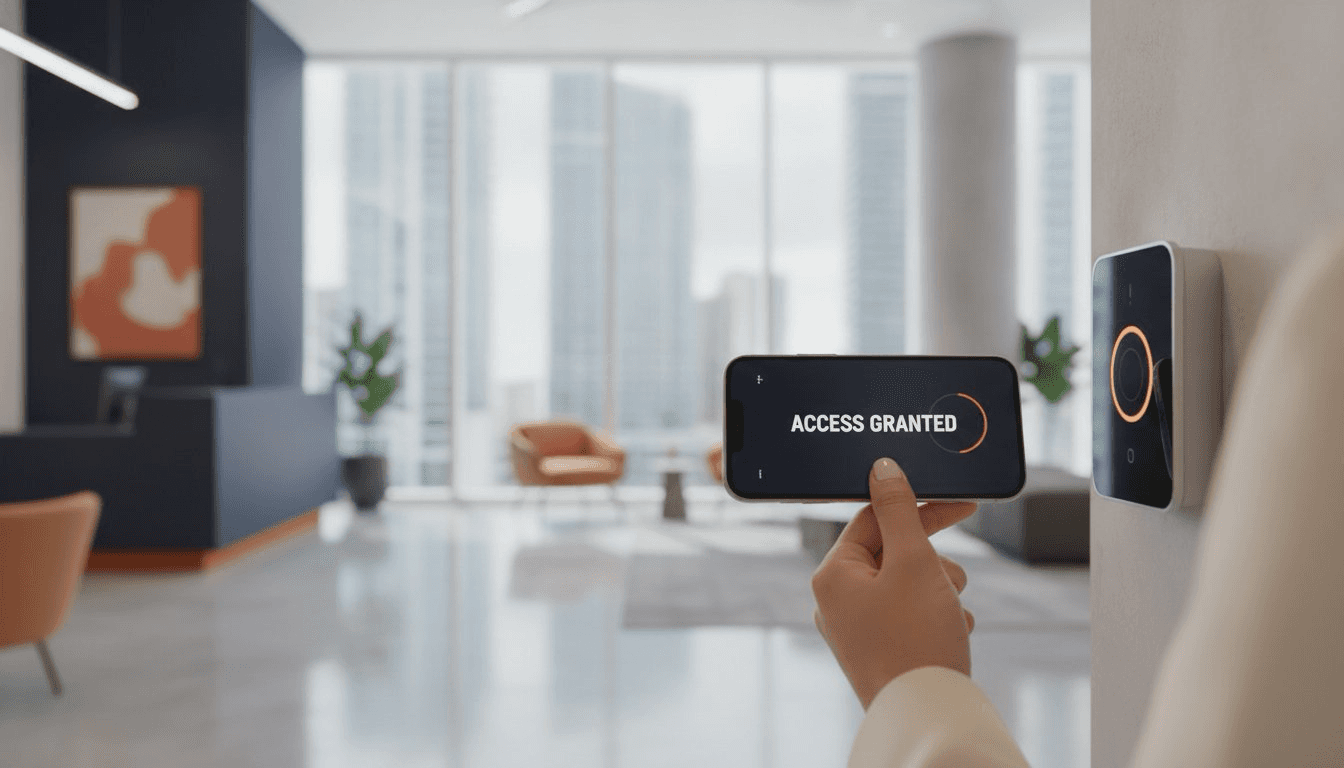
Table of Contents
- Modernizing Office Security: Why Miami Businesses are Choosing UniFi Access
- The UniFi Access Ecosystem: Professional Hardware and Software
- UniFi vs. Legacy Systems: A Comparative Analysis for Miami Firms
- Planning Your Installation: Engineering for Compliance and Stability
- Managed UniFi Access with RANGO Technologies
Modernizing Office Security: Why Miami Businesses are Choosing UniFi Access
In Miami's competitive commercial landscape, security and operational efficiency are paramount. Traditional access control—a world of costly physical keys, clunky fobs, and restrictive proprietary hardware—is no longer sufficient. Businesses in Miami, from medical clinics and dental offices to professional services firms and warehouses, are moving toward unified, software-defined platforms. UniFi Access by Ubiquiti Networks represents this shift, offering a Power over Ethernet (PoE) powered ecosystem that integrates seamlessly with your IT infrastructure.
The transition is driven by a need for mobile-first credentials, centralized management, and freedom from punitive licensing models. UniFi Access turns an employee's smartphone into a secure key, simplifies user administration, and, for its core on-premise deployment, avoids the per-door monthly fees that plague legacy cloud systems. From RANGO Technologies' perspective, physical security is a critical extension of a well-managed network, not a siloed system. Its reliability is directly tied to the health of the underlying network infrastructure.
The Problem with Legacy Access Control in South Florida
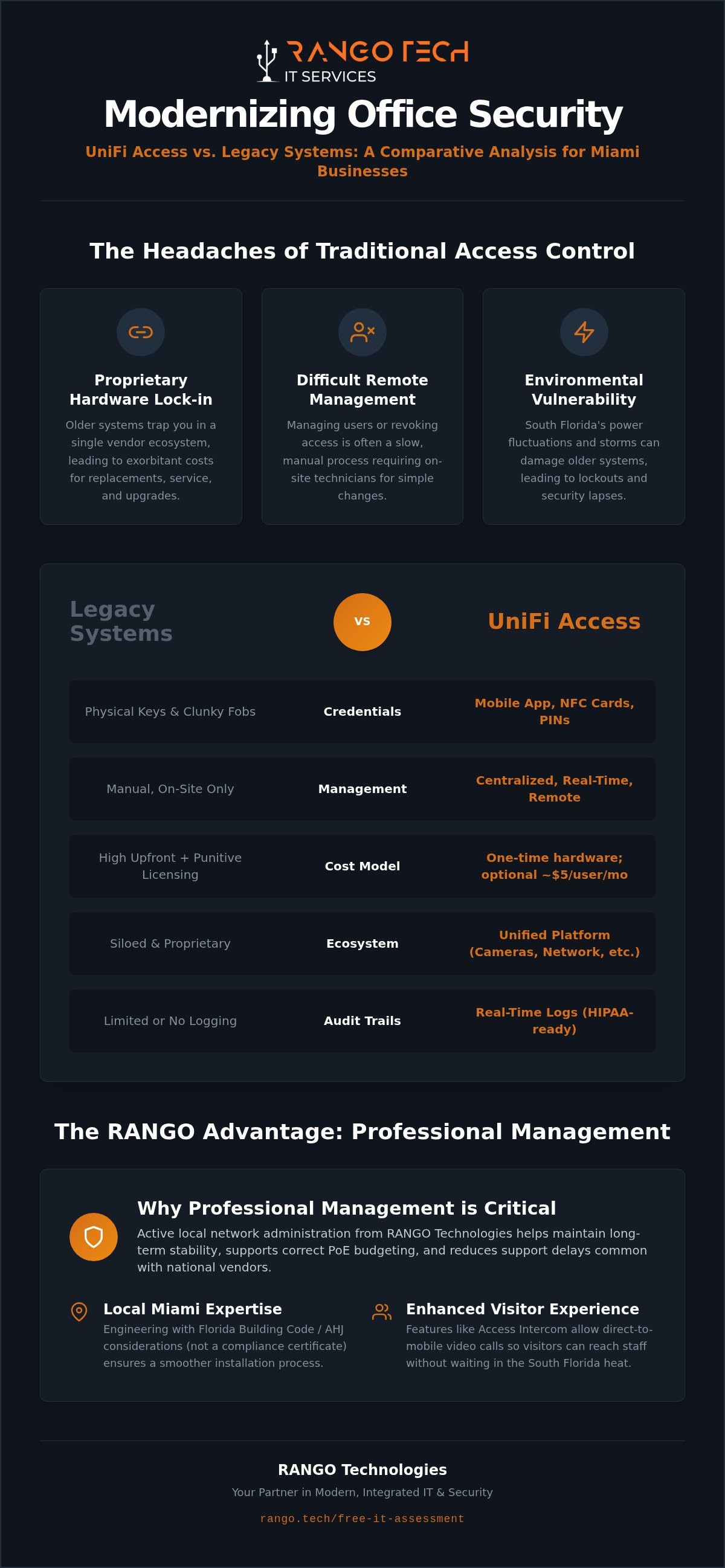
- Proprietary Hardware Lock-in: Many older systems trap businesses into a single vendor ecosystem, leading to exorbitant costs for replacement parts and service calls. If a single reader fails, you're often forced to pay a premium for a proprietary replacement.
- Difficult Remote Management: Managing users across multiple Miami office locations or revoking access for a terminated employee can be a slow, manual process, often requiring a technician to be on-site.
- Vulnerability to Environmental Factors: South Florida's frequent power fluctuations and storms can wreak havoc on sensitive electronics. Older systems often lack the resilience to handle these events, leading to security lapses or lockouts.
The UniFi Advantage: Integrated Identity Management
- Centralized Control: The entire system is managed from a single UniFi Console, such as the Dream Machine Special Edition or a Cloud Key, giving you a unified dashboard for your physical security.
- Seamless Ecosystem Integration: UniFi Access works in concert with UniFi Protect (for security cameras), UniFi Networking, and UniFi Talk (for phones), creating a single, powerful security and IT platform. This allows for powerful integrations, such as viewing a camera feed directly from the Access interface when a door is used.
- Real-time Logging and Audit Trails: Every access event is logged in real-time, providing a detailed audit trail. This level of documentation is incredibly useful for organizations that need to document access to sensitive areas as part of a HIPAA security strategy.
UniFi Access for Miami Businesses: A Snapshot
| Feature | UniFi Access with RANGO Management | | --- | --- | | Cost Model | Primarily one-time hardware for core local Access; optional UniFi Identity Enterprise may add ~$5/user/mo (pricing subject to Ubiquiti change). | | Management | Centralized via on-site UniFi Console (e.g., UDM Pro/SE) with optional cloud backup. | | Credentials | Mobile App (NFC/Bluetooth), NFC Cards, PIN Codes. | | Florida Building Code | Engineered with Florida Building Code / AHJ considerations (not a compliance certificate). | | Access Intercom | Direct-to-mobile video calls so visitors can reach staff without waiting outside in the South Florida heat. | | Professional Management | Active local network administration helps maintain long-term stability, supports correct PoE budgeting, and reduces delays common with national vendors. |
Ready to Modernize Your Office Security?
Contact RANGO Technologies at https://rango.tech/free-it-assessment
The UniFi Access Ecosystem: Professional Hardware and Software
A successful UniFi Access deployment in Miami relies on a carefully planned combination of enterprise-grade hardware and intuitive software. Each component plays a specific role in creating a secure, reliable, and easy-to-manage system.
- UniFi Access Hub: This is the brain of the system. A single PoE-powered hub connects to your network and controls the door locks, motion sensors, push-to-exit buttons, and alarms for a single door. It’s the critical link between your IT network and your physical security hardware.
- G2 Readers and Pro Models: The UA G2 Reader and Reader Pro are the user-facing components. They offer sleek, modern interfaces for entry via NFC card, PIN, or the mobile app. The Pro model includes a high-resolution touchscreen and camera for enhanced security and user interaction.
- UniFi Access Intercom: Ideal for main entrances, the UA Intercom allows visitors to call specific users or groups directly from the entrance. The call is routed to the recipient's smartphone, allowing them to see and speak with the visitor before granting entry remotely, so visitors can reach staff quickly without being left in the Miami sun.
- Mobile Credentials: The UniFi Identity app transforms an employee's smartphone into a highly secure key. Using NFC and Bluetooth technology, users can simply wave their phone near the reader to unlock the door, providing a frictionless and modern entry experience.
Hardware Built for Modern High-Traffic Offices
The physical demands of a busy Miami office, clinic, or commercial space require hardware that is both durable and technologically robust. UniFi's components are designed for these environments.
- Durability and Design: UniFi readers are built with weather-resistant materials suitable for South Florida's climate and are designed to withstand the daily wear and tear of high-traffic commercial entryways.
- Power over Ethernet (PoE) Requirements: The Access Hub and readers are powered over their network cables, simplifying installation. However, it's critical to use a network switch with sufficient PoE++ (802.3bt) power budget to support all connected devices reliably, 24/7. Under-powering the system is a common cause of failure in DIY installations.
- Proper Wiring Standards: Security is not the place to cut corners on cabling. Using high-quality Cat6 cabling with proper termination is essential for data integrity and power delivery. A stable connection helps keep doors responsive and the system online.
Software and User Management
The power of UniFi Access lies in its software, which provides granular control over your entire facility from a single pane of glass.
- Granular Access Policies: Administrators can create detailed access policies, assigning permissions based on user groups (e.g., "Management," "Staff," "Contractors"), specific doors, or time-of-day schedules.
- Remote Unlock and Management: An authorized office manager or receptionist can remotely unlock doors from their computer or the mobile app, streamlining visitor and delivery management without leaving their desk.
- Automated User Provisioning: For growing Miami businesses, the system simplifies onboarding. New user profiles can be created in seconds, and access permissions assigned instantly, so new hires get access on day one.
UniFi vs. Legacy Systems: A Comparative Analysis for Miami Firms
When evaluating access control for your Miami business, it's crucial to look beyond the initial hardware cost and consider the Total Cost of Ownership (TCO), user experience, and system resilience. UniFi Access, when professionally managed, presents a compelling alternative to traditional SaaS-based systems like Brivo, Openpath, or ButterflyMX.
| Feature | UniFi Access (Managed by RANGO) | Legacy Cloud Systems (e.g., Brivo, Openpath) | | --- | --- | --- | | Cost Model | Primarily a one-time hardware investment. The core on-premise UniFi Access software is license-free. Optional UniFi Identity Enterprise may add roughly ~$5/user/month (pricing subject to Ubiquiti change). | Recurring monthly or annual subscription fees, typically charged per door or per user. Hardware is often sold separately. | | System Controller | On-premise UniFi Console (e.g., Dream Machine Pro/SE) acts as the local "brain," providing high-speed local operation. | Cloud-based controller. All logic, user management, and event logging are handled on the vendor's remote servers. | | Offline Functionality | Fully functional during an internet outage. The local console continues to process all access requests from stored credentials. Remote management is unavailable until connectivity is restored. | Varies by vendor. Many systems have limited offline functionality, relying on cached credentials that may not be up-to-date. Some features may fail entirely. | | User Experience | Fast, local response time for mobile app and card scans. No reliance on internet latency for door entry. | Generally good, but mobile app performance can be dependent on internet connectivity and cloud server response times. | | Ecosystem Integration | Natively integrates with UniFi Protect (cameras), Networking, and Talk for a single, unified management experience. | Integration with third-party systems is often possible via APIs but may require additional licensing fees and complex configuration. |
The Real Cost of "License-Free" Software
While UniFi's core software model is highly attractive, it's not "free" in the sense of being without investment. The absence of monthly fees shifts the focus to a more robust upfront hardware and network engineering investment. To achieve enterprise-grade stability, you need a solid network foundation. Furthermore, the system requires active firmware patching and security updates to remain secure. For medical and dental practices, a "Do It Yourself" approach carries significant risk; a managed service from RANGO Technologies helps keep the system patched, monitored, and supported by local experts.
Reliability in the South Florida Climate
In Miami, any electronic system must be designed to withstand power surges, brownouts, and the potential for extended outages during hurricane season. UniFi Access hardware, when properly deployed, is built for this reality.
- Performance During Power Cycles: A professionally installed system is deployed on a network with appropriate surge protection and power conditioning to protect the sensitive electronic components of the Access Hubs and readers.
- Offline Functionality: Because the UniFi Console runs locally, your access control system remains fully operational even if your office's internet connection goes down. This local processing keeps the local credential database available, so employees can still access the building.
- Integration with Battery Backups (UPS): All core network components and UniFi Access hardware should be connected to an Uninterruptible Power Supply (UPS). This not only protects against surges but also provides runtime during a power outage, helping keep the facility protected.
Planning Your Installation: Engineering for Compliance and Stability
A successful UniFi Access deployment is 90% planning and 10% installation. It's an engineering project that requires a deep understanding of networking, door hardware, and local Miami-Dade regulations. RANGO's process follows a structured, engineering-led approach.
1. Step 1: Assessing Door Hardware (Electric Strikes vs. Maglocks): The first step is a physical survey to determine the best type of electronic lock for each door. Electric strikes are common for interior office doors, while electromagnetic (maglocks) are often used for high-security or glass doors. The choice impacts wiring, power requirements, and fire code integration.
2. Step 2: Designing the Network Backbone and PoE Budget: We map out the network topology, calculate the total PoE power budget required to run all hubs and readers 24/7, and specify the appropriate network switches. This step is critical for long-term stability.
3. Step 3: Planning for Local Fire Code and ADA Compliance: We design the system with local regulations in mind, including requirements for emergency egress and ADA accessibility. This involves coordinating with fire alarm systems and selecting appropriate door hardware that help support Florida Building Code–oriented designs.
4. Step 4: Provisioning Secure Credentials and User Training: Once the hardware is installed, we provision users, set up access policies, and provide comprehensive training for administrators and staff, so your team is ready to use the new system effectively from day one.
Network Readiness: The Core of Physical Security
Your access control system is only as reliable as the network it runs on. A poorly configured network will lead to lagging readers, offline hubs, and a frustrating user experience.
- Dedicated VLAN: For security and performance, your UniFi Access devices should be isolated on their own Virtual LAN (VLAN). This prevents interference from other network traffic and adds a layer of security.
- Calculating the PoE Load: We perform a detailed power budget calculation to select a network switch that can comfortably provide continuous PoE++ power to every Access Hub, even under full load.
- A UniFi Dream Machine Pro or Special Edition is the foundation of a stable Miami installation because it combines the network gateway, switch, and UniFi application server into a single, optimized device designed for high-reliability local processing.
Compliance and Safety Standards
For many Miami businesses, especially in the healthcare sector, access control is a key part of their compliance strategy. A professional installation considers these requirements from the start.
- Supporting HIPAA Security: We help medical and dental offices implement technical controls for physical security, such as restricting access to server rooms and records storage, which is a component of supporting HIPAA-aligned physical-security controls.
- Fire Alarm Integration: The system must be integrated with your building's fire alarm system to automatically unlock designated doors during an emergency, allowing for safe egress.
- Local Permitting and Engineering: Depending on the scope of the project and the type of locks used, permits may be required in Miami-Dade County. Our professional engineering process accounts for these local requirements.
Managed UniFi Access with RANGO Technologies
Choosing RANGO Technologies for your UniFi Access Control installation in Miami means partnering with a senior engineering team, not just entry-level technicians. We believe that physical security is an ongoing managed service, not a one-time project. Our approach helps support long-term stability and reduce support delays common with national vendors.
- The RANGO Difference: Our team is composed of experienced network and security engineers who understand the entire technology stack, from the network switch to the door strike.
- Flat-Rate Management: We provide proactive, flat-rate management for your security infrastructure. Your system is actively monitored and maintained, not just installed and forgotten.
- Rapid On-Site Response: As a local Miami firm, we provide fast on-site support for our South Florida partners, a critical advantage over national vendors who rely on subcontractors or remote support call centers.
- Seamless IT Integration: We integrate your physical security into your overall Managed IT and Cybersecurity strategy. Access events can be correlated with network logs, providing a more complete security picture. An internal link to our Cybersecurity & MDR page provides more context.
Beyond the Install: Ongoing Network Administration
Our commitment extends far beyond the initial installation. We provide continuous administration to keep your system secure and optimized.
- Proactive Monitoring: We monitor the connectivity of your Access Hubs, the health of your locks, and the status of your UniFi Console to identify and resolve issues before they impact your business.
- Credential Lifecycle Management: We manage the entire lifecycle of user credentials, from onboarding new employees to promptly de-provisioning access for former employees, so your access lists are always current.
- Supporting Local Healthcare: We have extensive experience working with Miami's dental and medical practices, helping them implement and manage systems that are aligned with their goals for supporting HIPAA-aligned physical-security controls.
Get Started with a Local Physical Security Audit
The first step toward a modern, reliable access control system is a comprehensive on-site assessment. A RANGO Technologies engineer will evaluate your current infrastructure, discuss your security goals, and design a custom UniFi Access solution for your Miami business.
- What to Expect: Our audit includes a review of your door hardware, network infrastructure, power environment, and specific operational needs.
- Customized Deployments: We design systems tailored for single-office clinics, multi-floor corporate offices, and multi-site enterprises across South Florida.
- CTA: Secure your Miami office with RANGO Technologies today.
Frequently Asked Questions (FAQ)
Does UniFi Access require a monthly subscription fee? The core on-premise UniFi Access software is license-free and does not require a monthly fee for its standard functionality. This is a major advantage over many cloud-based systems. However, Ubiquiti offers an optional, cloud-based service called UniFi Identity Enterprise which adds features like single sign-on (SSO) and remote access without a VPN. This optional service may add roughly ~$5/user/month (pricing is subject to Ubiquiti's policies and can change).
What happens if the internet goes down at my Miami office? Because UniFi Access runs on a local controller (like a Dream Machine Pro/SE), your system remains fully functional for credentialed users even during an internet outage. The local processing helps keep doors secure and employees productive. You will lose the ability to manage the system remotely or receive mobile notifications until internet service is restored.
Can I use my existing key cards with a new UniFi system? UniFi Access uses its own proprietary NFC cards for stronger credential security. While it may be compatible with some third-party MIFARE DESFire cards, it is generally not compatible with older, less secure proximity cards (like HID Prox). We recommend using UniFi's NFC cards or the mobile app for the best performance and security.
Is UniFi Access HIPAA compliant for medical and dental offices? UniFi Access provides technical features that can be part of a comprehensive HIPAA compliance strategy. We can configure technical controls (unique IDs, audit trails, restricted areas). Compliance also depends on administrative policies and physical safeguards, which remain the covered entity’s responsibility. The system's detailed audit logs are invaluable for tracking access to sensitive areas like server rooms or patient record storage.
Can I manage multiple office locations from a single dashboard? Yes. Using Ubiquiti's free central cloud portal, you can link multiple on-site UniFi Consoles from different locations (e.g., Miami, Fort Lauderdale, Boca Raton) and manage them all from a single interface, for a consistent multi-site experience.
What is the difference between a fail-safe and fail-secure lock in Miami? This determines how a lock behaves when it loses power. A fail-secure lock remains locked during a power outage, securing the premises. An electric strike is typically fail-secure. A fail-safe lock unlocks when power is lost, so people can exit. Maglocks are always fail-safe. The choice depends on the door's purpose (e.g., main entrance vs. server room) and local fire codes to support life-safety requirements.
How does UniFi Access integrate with my security cameras? When you use UniFi Access with UniFi Protect cameras, you get powerful native integration. You can associate a specific camera with a door, and when an access event occurs, the system automatically bookmarks the video recording. From the Access dashboard, you can view a live feed of the camera associated with any door with a single click.
Do I need a special server to run UniFi Access? No, you do not need a dedicated Windows or Linux server. The UniFi Access application runs directly on a UniFi Console, such as the UniFi Dream Machine Pro, Dream Machine Special Edition, or Cloud Key Gen2 Plus. This integrated hardware approach simplifies deployment and maintenance.
Disclaimer: RANGO Technologies implements and documents technical controls; clients remain responsible for their own regulatory compliance decisions and outcomes. We implement and document the technical safeguards HIPAA requires; your practice retains responsibility for its overall compliance program.
Schedule a free IT assessment. Talk to a senior RANGO engineer about your environment.
Schedule a free IT assessmentSchedule a free IT assessment
Get a plain-English review from a senior RANGO engineer. No obligation.
Related posts
How Wi-Fi 7 Improves Productivity, Reliability, and Security for Businesses in 2026
Wi-Fi problems rarely look like a major business risk at first. They look like frozen video calls, barcode scanners that disconnect, patient rooms with weak signal, and employees blaming the...

5 Signs It Is Time to Upgrade Your Office Network
A network upgrade should not wait until the entire office is down. Most networks show warning signs for months before they fail: slow cloud apps, random Wi-Fi drops, bad VoIP quality, security...
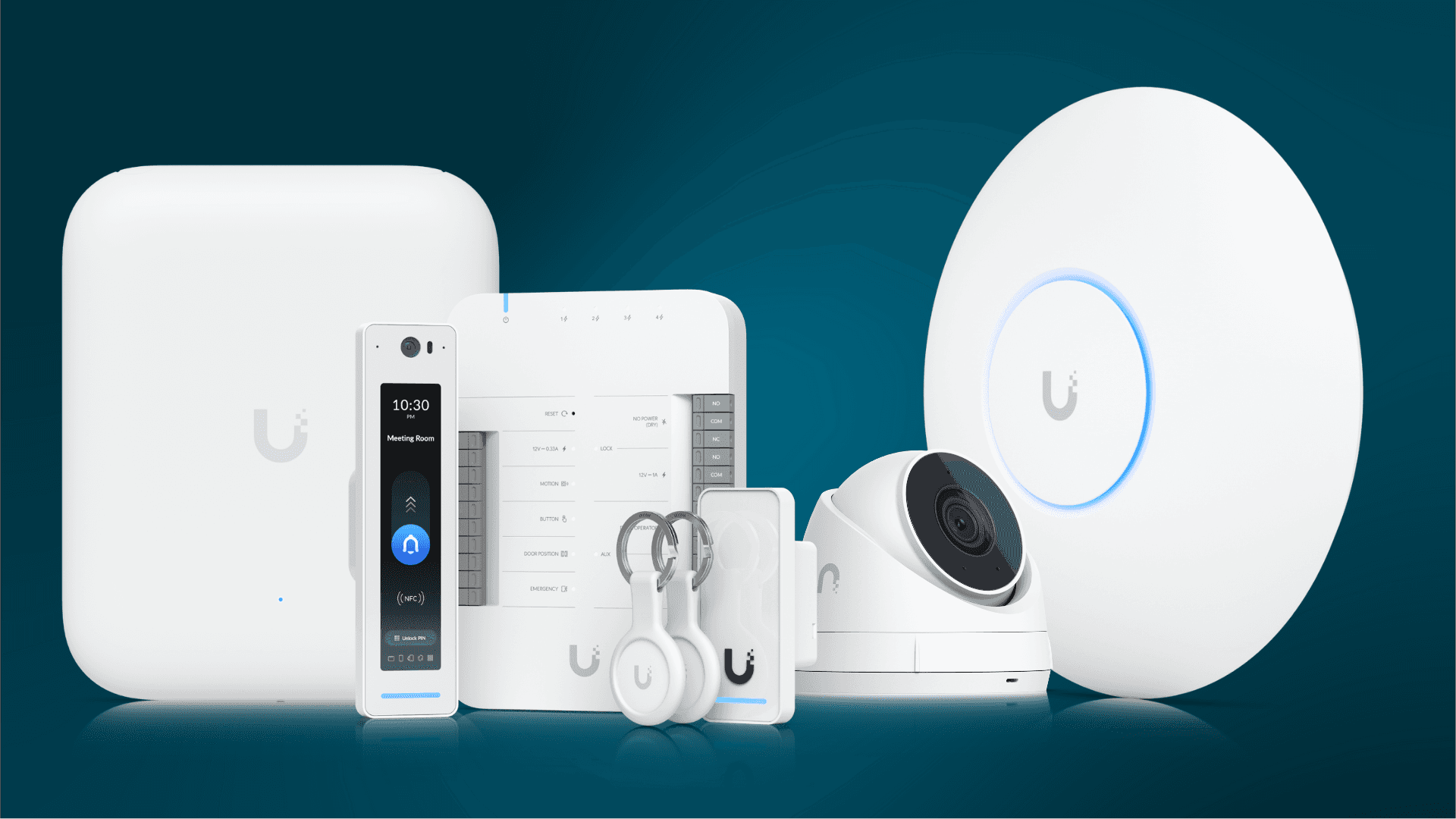
Get Better Wi-Fi, Cameras, and Access Control with UniFi
UniFi is popular because it gives small and mid-size businesses strong visibility without enterprise-level complexity. Wi-Fi, switching, cameras, door access, and network monitoring can be managed...