Secure Remote Access for Business in Miami: The 2026 Executive Guide
The traditional secure office — a castle protected by a firewall moat — became obsolete in 2024. Today your business perimeter is wherever your employees connect, and for Miami businesses that new reality demands a forward-looking approach to secure remote access…
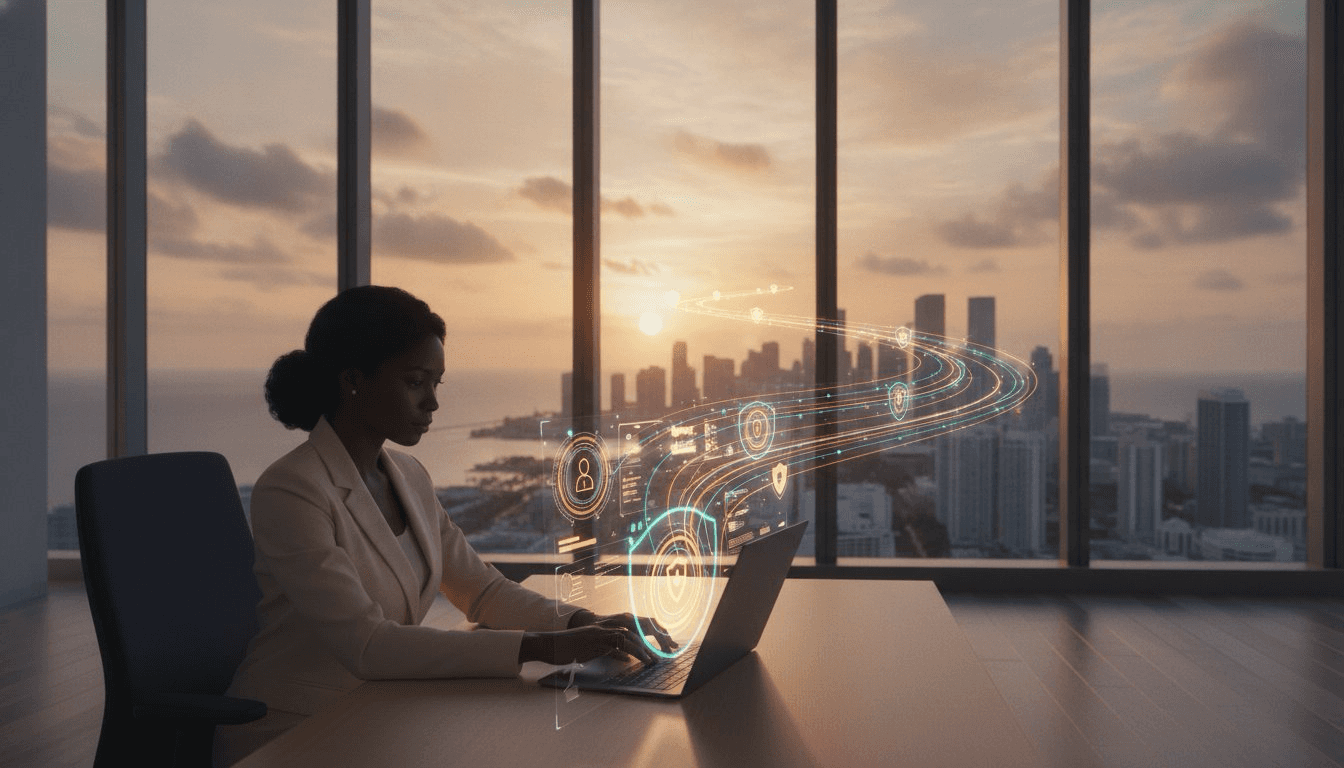
Table of Contents
- The Shift in Secure Remote Access for Business in Miami
- Core Technologies for Secure Remote Connectivity
- Compliance and Performance: The Dual Mandate
- Miami Resilience: Remote Access and Disaster Recovery
- Choosing a Managed Remote Access Partner in Miami
The Shift in Secure Remote Access for Business in Miami
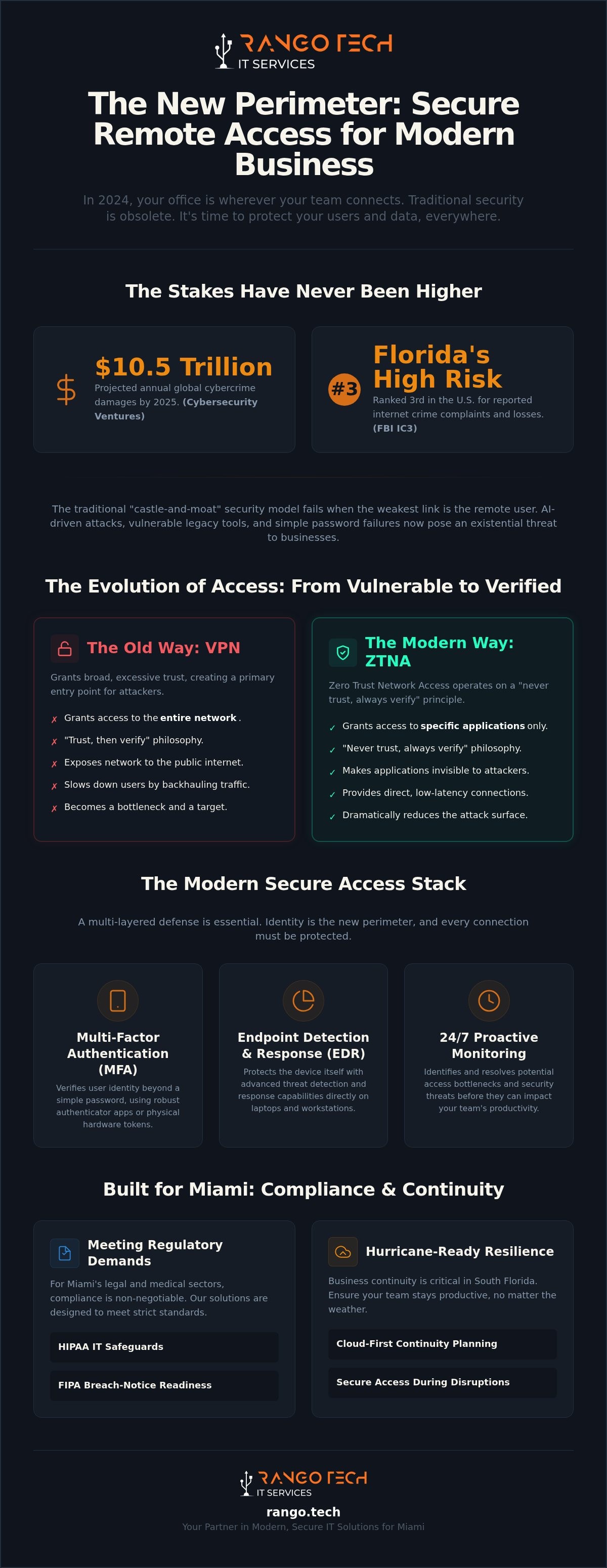
The traditional concept of a secure office, a castle protected by a firewall moat, became obsolete in 2024. Today, your business perimeter is wherever your employees connect—a home office in Brickell, a coffee shop in Coral Gables, or an airport lounge. For Miami businesses, this new reality introduces unique challenges that demand a forward-looking approach to secure remote access. The stakes are higher than ever, with global cybercrime damages projected to reach $10.5 trillion annually by 2025 (Cybersecurity Ventures), and Florida's specific risk profile is significant. According to the FBI's Internet Crime Complaint Center (IC3), Florida ranked third among U.S. states for reported internet crime complaints and losses in 2024.
- Why the traditional "office perimeter" died: The modern workforce is distributed. Data no longer lives exclusively on-site; it’s in the cloud, on laptops, and accessed from anywhere. Security must follow the data and the user, not the building.
- Specific risks for South Florida’s sectors: For Miami's thriving legal and medical fields, the risk of a remote data breach isn't just financial. It carries severe reputational damage and regulatory penalties, including breach-notice obligations under the Florida Information Protection Act (FIPA).
- The vulnerability of legacy VPNs: By 2025, security experts widely recognized that traditional Virtual Private Networks (VPNs), which grant broad network access, had become a primary entry point for ransomware. Once inside, attackers could move laterally across the entire network.
- The productivity cost of "slow" security: In Miami's fast-paced business culture, lag is unacceptable. Slow, clunky remote access tools frustrate employees, hinder productivity, and create a competitive disadvantage.
Why "Good Enough" Security Fails in 2026
The belief that a standard firewall and antivirus are sufficient is a dangerous misconception in the current threat environment. Adversaries are more sophisticated, and the consequences of a breach are more severe. For Miami businesses, the threat landscape is defined by targeted, high-speed attacks against the weakest link: the remote user.
- The rise of AI-driven attacks: Cybercriminals now use AI to automate credential harvesting, sending hyper-realistic phishing emails and exploiting vulnerabilities at a scale and speed that overwhelm traditional defenses.
- The password is not a defense: A simple password, even a complex one, offers minimal protection against modern brute-force and social engineering attacks. It is a fragile lock on your most valuable digital assets.
The Business Impact of Connectivity Failures
Security is only one half of the equation; performance is the other. When remote access fails or underperforms, the business impact is immediate and measurable. It's not just an IT problem; it's a direct threat to your revenue and reputation.
- Lost billable hours: For a professional services firm, every hour of downtime is an hour of lost revenue. Calculating the cost of remote connectivity issues often reveals a staggering impact on the bottom line.
- Reputational risk of a breach: A data breach originating from a poorly secured remote connection can erode client trust, leading to customer churn and long-term damage to your brand.
- Proactive monitoring avoids bottlenecks: RANGO’s 24/7 monitoring and management are designed to identify and resolve potential access bottlenecks before they impact your team's productivity, helping to prevent slowdowns.
Core Technologies for Secure Remote Connectivity
To effectively support a hybrid workforce in 2026, businesses must move beyond outdated tools and embrace a modern technology stack built for today's threats. This involves a strategic shift from protecting the network to protecting the user and the data, regardless of location.
- Zero Trust Network Access (ZTNA): The modern, more secure alternative to the vulnerable VPN. ZTNA operates on a "never trust, always verify" principle, granting users access only to specific applications they need, not the entire network.
- Multi-Factor Authentication (MFA): Moving beyond easily compromised SMS codes to more robust methods like authenticator apps or physical hardware tokens is critical for verifying user identity.
- Endpoint Detection and Response (EDR): True security means protecting the device itself—the laptop or workstation—not just the connection. EDR provides advanced threat detection and response capabilities directly on the endpoint.
- Cloud-native vs. On-premise Gateways: The right architecture depends on your business. A cloud-native solution can offer greater flexibility and scalability, while an on-premise gateway may be suitable for businesses with significant legacy infrastructure at their Miami office.
What is ZTNA and Why Does Your Business Need It?
Zero Trust Network Access is a fundamental change in security philosophy. Instead of assuming everyone inside the network is "safe," ZTNA assumes no user or device is trustworthy by default. It requires strict verification for every single access request.
- Defining ZTNA: The core principle is "never trust, always verify." Every attempt to access a resource is treated as a potential threat and must be authenticated and authorized.
- Reducing the "attack surface": ZTNA makes applications invisible to the public internet. If an attacker can't see an application, they can't attack it. This dramatically reduces your vulnerability to external threats.
- The speed advantage: Unlike traditional VPNs that often "backhaul" all traffic through a central office and slow things down, ZTNA provides direct, low-latency connections to applications, improving the user experience.
Implementing Identity-Based Security
In a world without a physical perimeter, identity has become the new control plane. Securing your business means ensuring that only the right people, on the right devices, at the right time, can access the right resources.
- Identity is the new perimeter: Your security strategy must be centered around managing and verifying user identities with a high degree of certainty.
- Conditional access policies: This powerful tool allows you to set granular rules for access. For example, you can restrict logins from unrecognized locations, block access from devices that fail a health check, or require stronger authentication for sensitive data.
- Managed identity frameworks: RANGO helps small and mid-sized teams implement and manage these complex identity frameworks, ensuring policies are configured correctly and consistently enforced.
Compliance and Performance: The Dual Mandate
For Miami businesses in regulated industries like healthcare and law, secure remote access is not just a technical challenge—it's a strict compliance requirement. The goal is to implement robust security controls that meet regulatory standards without creating friction and lag for remote employees.
- HIPAA IT for remote access: Medical and dental offices must ensure their remote access solutions include the necessary technical safeguards, such as strong encryption and detailed access logging, required by the HIPAA Security Rule.
- Addressing the performance myth: A common objection is that strong security slows things down. With modern technologies like ZTNA and proper network configuration, you can achieve strong performance and robust security simultaneously.
- The importance of responsive helpdesk support: When remote employees encounter technical issues, they need immediate access to expert support. Waiting for a callback from an offshore helpdesk is a drain on productivity.
- Local network administration: Your Miami headquarters' network must be properly configured to handle remote traffic efficiently. This includes having adequate bandwidth and properly managed network hardware.
Securing Medical and Dental Practices in South Florida
Healthcare providers face intense scrutiny over how they protect electronic Protected Health Information (ePHI). A remote access strategy must be built with these obligations at its core.
- Remote access and HIPAA safeguards: The HIPAA Security Rule requires specific administrative, physical, and technical safeguards. For remote access, this includes unique user identification, automatic logoff, encryption, and audit controls.
- Auditing remote sessions: Maintaining a clear "paper trail" of who accessed what data, when, and from where is a non-negotiable requirement for compliance. Your remote access solution must provide detailed and accessible logs.
- Navigating complex mandates: RANGO’s HIPAA IT consulting helps you navigate the technical aspects of federal mandates. We implement and document the technical safeguards HIPAA requires; your practice retains responsibility for its overall compliance program.
Optimizing the Remote User Experience
A secure system that employees refuse to use is not secure at all. The user experience is a critical component of any successful remote access strategy. The goal is a seamless, fast, and reliable connection that allows your team to work effectively from any location.
- Split-tunneling vs. Full-tunneling: This technical choice has a major impact on performance. We help you determine the right approach to balance security needs with the demand for speed, ensuring business-critical traffic is secured while non-essential traffic doesn't bog down the connection.
- The value of local engineers: When a complex connectivity issue arises, having local Miami engineers who can understand the local internet landscape and even provide on-site support is significantly more effective than relying on remote-only, tiered support systems.
- Proactive monitoring helps eliminate outages: Our continuous monitoring systems are designed to detect signs of trouble, like failing hardware or bandwidth saturation, allowing us to address them before they cause a "Friday afternoon" outage.
Miami Resilience: Remote Access and Disaster Recovery
For any business in Miami, a discussion about continuity is incomplete without addressing hurricane season. Secure remote access is no longer just a convenience; it's a core component of a resilient business strategy that allows you to operate through local disruptions.
- Business continuity during hurricane season: When employees can't get to the office, a robust secure remote access plan enables your business to continue serving clients and generating revenue.
- Cloud-first strategies: By hosting your critical data and applications in the cloud, your team can access them securely from anywhere, even if your Miami office is physically offline due to a storm or power outage.
- Rapid on-site response: After a major storm, some issues require hands-on intervention. When remote troubleshooting isn't enough, having a local partner for rapid on-site response is invaluable.
- Redundant internet connections: A key strategy for keeping your remote gateway online is implementing redundant internet connections from different providers at your main office.
Hurricane Readiness for Your IT Infrastructure
Preparation is the key to resilience. Your remote access plan must be integrated with a broader disaster recovery strategy that accounts for the specific challenges of operating in South Florida.
- The role of cloud backup: A comprehensive disaster recovery plan starts with secure, automated cloud backups that ensure your data is safe and recoverable, no matter what happens to your physical office.
- Testing your failover plan: The worst time to discover a flaw in your remote access failover plan is during a crisis. We advocate for and facilitate regular testing to ensure everything works as expected before a storm is on the horizon.
- Why local presence matters: During a regional crisis, a national provider's attention will be divided. RANGO’s local presence means our focus is entirely on our Miami clients, providing dedicated support when it's needed most.
Power Outages and Connectivity
Beyond hurricanes, South Florida's power grid can be unreliable. A proactive plan must account for unexpected outages that could sever the connection between your remote workers and your on-premise resources.
- Managing access when HQ loses power: If your remote access gateway is hosted on-site, a power outage can cut off your entire remote workforce. A cloud-based or hybrid strategy mitigates this risk.
- The benefit of managed UPS: For essential on-premise network equipment, a professionally managed Uninterruptible Power Supply (UPS) and network monitoring can provide the necessary runtime to survive short outages and allow for a graceful shutdown during extended ones.
- Plan ahead: Read our Hurricane Season IT Checklist to learn more about preparing your business infrastructure.
Choosing a Managed Remote Access Partner in Miami
Implementing and managing a secure, high-performance remote access system requires specialized expertise. Choosing the right local IT partner is one of the most important decisions you can make to protect your business and empower your team.
- The "Senior Engineer" difference: Your business deserves direct access to experienced engineers, not entry-level helpdesk technicians reading from a script. Look for a partner that puts expertise first.
- Transparent pricing: Understand the pricing model. A flat-rate model for support and monitoring can be more predictable than one with hidden per-user fees or unexpected charges for security services.
- Why local physical presence matters: Software can't fix a downed fiber line or replace a failed firewall. A partner with a physical presence in Miami provides a level of support and accountability that remote-only providers cannot match.
- Next steps: Start with a professional assessment of your current remote access vulnerabilities to build a clear roadmap for improvement.
The RANGO Technologies Approach
We provide a managed, strategic approach to secure remote access, tailored to the specific needs and risks of Miami businesses. Our model is built on expertise, responsiveness, and a deep understanding of the local landscape.
- 24/7 monitoring and management: We provide continuous monitoring and automated patching for all remote endpoints and network infrastructure to maintain security and performance.
- Unlimited local support: Our team acts as your remote workforce's dedicated IT department, providing fast, effective support from local engineers who understand your business.
- A predictable cost model: Our flat-rate agreements for ongoing monitoring and support eliminate the "billable hour" conflict of interest, allowing us to focus on proactive prevention. Initial onboarding, special projects, and hardware are quoted separately and transparently.
Getting Started: Your Secure Access Roadmap
Building a modern, resilient remote access framework is a straightforward process when guided by experienced professionals. We follow a clear, three-step approach to elevate your security and performance.
1. The Local Network Administration Audit: We begin with a thorough assessment of your current network, security policies, and remote access tools to identify critical vulnerabilities and performance bottlenecks.
2. Strategic Deployment: Based on the audit, we deploy the right technologies for your business, such as ZTNA and MFA, configuring them to align with your specific operational and compliance needs.
3. Ongoing Management and Support: We provide continuous management, monitoring, and support to ensure your system remains secure, performant, and adapted to evolving threats.
Request Your Free IT Assessment Today
Frequently Asked Questions (FAQs)
- Is a VPN the most secure way for my Miami staff to work remotely? While VPNs were once the standard, modern solutions like Zero Trust Network Access (ZTNA) are now considered more secure. VPNs typically grant broad access to the entire network, increasing the "attack surface." ZTNA is more granular, granting users access only to the specific applications they need, which significantly reduces risk.
- How much does it cost to implement secure remote access for a small business? The cost varies based on the number of users, the complexity of your needs, and your existing infrastructure. We provide a flat-rate monthly fee for ongoing management, monitoring, and unlimited support. The initial setup, hardware, and any project work are quoted separately as a one-time cost. This approach provides cost predictability for your operational budget.
- Can remote access be aligned with HIPAA for my medical practice? Yes. A remote access solution can and must be configured with the technical safeguards required by the HIPAA Security Rule. This involves implementing technologies like strong end-to-end encryption for data in transit, multi-factor authentication, detailed audit logging, and strict access controls. While encryption is a critical component, it is just one of several required safeguards. Overall HIPAA compliance is a comprehensive program that remains the responsibility of the medical practice.
- What happens to my remote workers if my Miami office loses power? This depends on your setup. If your critical data and applications are hosted on-site, a power outage can disrupt access. A modern strategy often involves a cloud-first or hybrid approach, where essential services are hosted in resilient data centers. This allows your team to continue working even if the physical office is offline.
- Do I need to buy new hardware for my employees to work securely from home? Not necessarily. In many cases, we can secure existing employee-owned or company-owned devices with modern security software like Endpoint Detection and Response (EDR) and enforce security policies through our management tools. If hardware is outdated and poses a security risk, we would recommend upgrades as part of the overall strategy.
- What is the difference between remote access and a remote desktop (RDP)? Remote Desktop Protocol (RDP) allows a user to control their physical office computer from a remote location. Secure remote access is a broader term that encompasses various technologies (including ZTNA, VPNs, and RDP) that enable access to network resources. While RDP is a form of remote access, directly exposing RDP to the internet is a major security risk and is strongly discouraged.
- How does RANGO handle remote support for employees who are not in Miami? Our remote monitoring and management tools allow us to provide fast and effective support to your employees anywhere in the world. We can securely access their device (with their permission) to troubleshoot issues, install software, and resolve problems without needing to be physically present. For issues requiring on-site support at your Miami headquarters, our local engineers are ready to respond.
*Disclaimer: The information provided in this article is for informational purposes only and does not constitute legal advice. You should consult with a qualified legal professional for advice regarding your specific legal and compliance obligations.*
Schedule a free IT assessment. Talk to a senior RANGO engineer about your environment.
Schedule a free IT assessmentSchedule a free IT assessment
Get a plain-English review from a senior RANGO engineer. No obligation.
Related posts
Endpoint Security for Businesses in Miami: The 2026 Defense Guide
If your Miami business feels like a target, it's because it is. Florida consistently ranks in the top three states for cybercrime complaints, and for local small to mid-sized companies, a...
Top Cyber Threats Targeting Small Businesses in 2026
Small businesses are no longer too small to be targeted. Attackers go after companies that depend on email, Microsoft 365, remote access, and online banking but often lack full-time security...
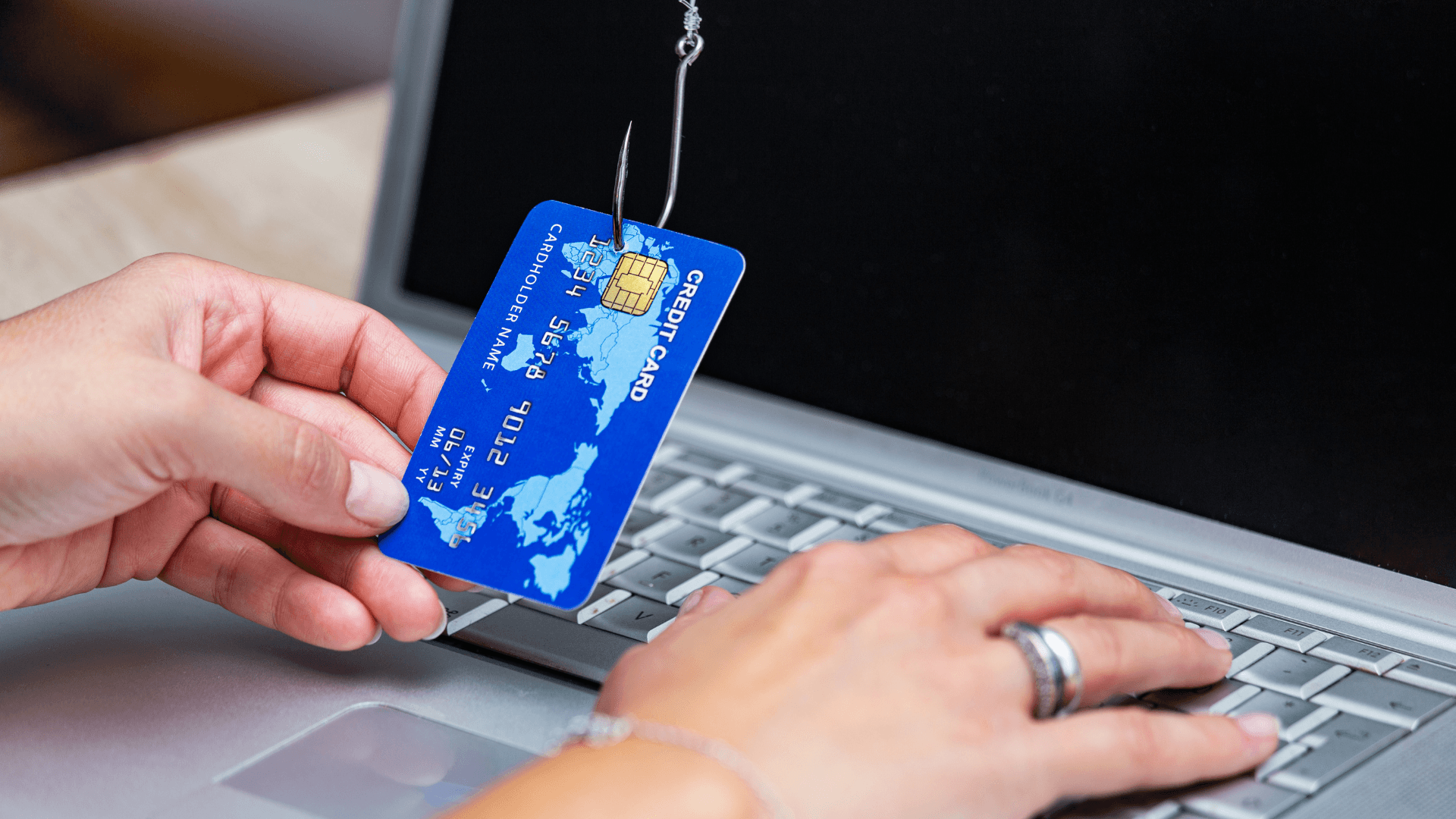
How to Spot Phishing Emails Before They Cost Your Business Money
Most phishing emails are designed to create pressure. They ask someone to click, approve, pay, reset, download, or verify before thinking. The best defense is a team that knows what suspicious...